MCP Dock
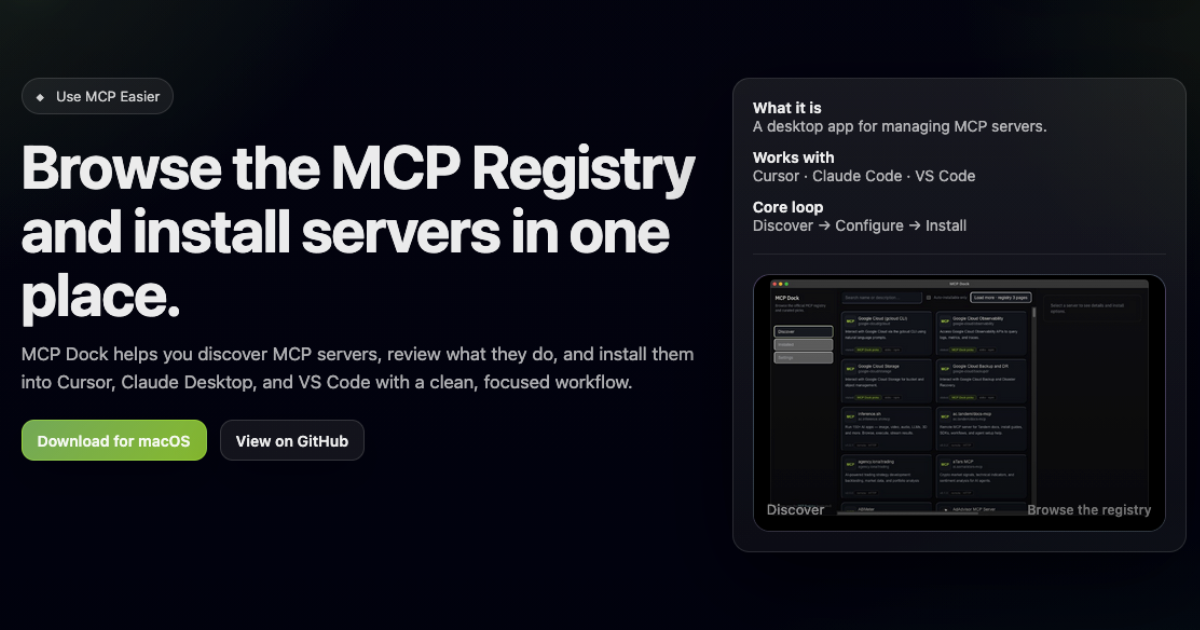
A desktop app for browsing MCP servers and installing them into Cursor, Claude Code, and VS Code.
MCP Dock helps you discover MCP servers, review what they do, and install them into supported editors. It provides a workflow for browsing, configuring, installing, and maintaining MCP server setups. Listed under Developer tools on UsefulShelf. Available on Linux.
https://usefulshelf.co/apps/mcp-dock
Overview
MCP Dock helps you discover MCP servers, review what they do, and install them into supported editors. It provides a workflow for browsing, configuring, installing, and maintaining MCP server setups.
The problem
It helps users manage MCP servers without switching between registry browsing, configuration, and editor installation steps.
How it works
Browse the MCP Registry, compare servers, configure environment variables and settings, then install the setup into your editor(s) and keep track of what was installed.
Key features
- Registry browsing
- Opinionated defaults
- Install destinations
- Maintain installed setups
What makes it different
It combines registry browsing and installation for MCP servers in one desktop workflow.
Use cases
Use it when you want to find MCP servers, install them into supported editors, or review what is already set up.
Every listing is reviewed before it goes live. How review works
Frequently asked questions
What is MCP Dock?
MCP Dock helps you discover MCP servers, review what they do, and install them into supported editors. It provides a workflow for browsing, configuring, installing, and maintaining MCP server setups.
Who is MCP Dock for?
People who use Cursor, Claude Code, or VS Code with MCP servers.
How does MCP Dock work?
Browse the MCP Registry, compare servers, configure environment variables and settings, then install the setup into your editor(s) and keep track of what was installed.
What makes MCP Dock different?
It combines registry browsing and installation for MCP servers in one desktop workflow.
When would someone use MCP Dock?
Use it when you want to find MCP servers, install them into supported editors, or review what is already set up.
What are the key features of MCP Dock?
Registry browsing. Opinionated defaults. Install destinations. Maintain installed setups.
Where can I use MCP Dock?
MCP Dock is available on Linux.
What technical traits does MCP Dock have?
MCP Dock is tagged as Open source.
Where is the official MCP Dock website?
MCP Dock is at mcp-dock.reagent-systems.com. UsefulShelf links to it directly from this page.
Ratings & reviews
Real experiences. A little perspective for your next pick.
Tried MCP Dock?
Your experience can help someone find their next useful app.
Sign in to review One account. One honest review.One review per account. Makers can’t rate their own apps. Ratings reflect community opinions.
The first word could be yours.
Tried MCP Dock? A few honest lines can make someone’s decision a little easier.
Share your experienceKeep exploring
More useful apps to discover.