Perch
A notch-style productivity app for Windows 10 and 11.
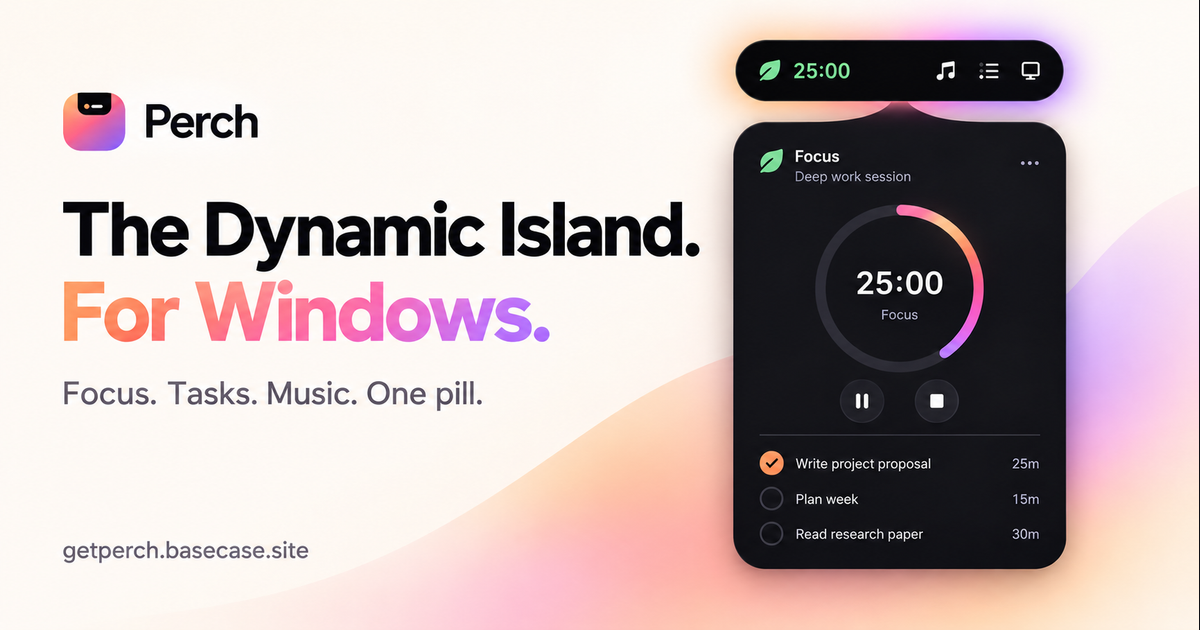
Perch is a notch-style productivity app for Windows 10 and 11. It opens into tools like a Pomodoro timer, tasks, notes, media controls, clipboard history and screen time, with data stored on the user’s PC. Listed under Productivity on UsefulShelf. Pricing: One-time purchase. Available on Windows.
https://usefulshelf.co/apps/perch
Overview
Perch is a notch-style productivity app for Windows 10 and 11. It opens into tools like a Pomodoro timer, tasks, notes, media controls, clipboard history and screen time, with data stored on the user’s PC.
The problem
It helps users access timers, reminders, notes and other quick tools from one small overlay without leaving what they are doing.
How it works
Hover over the pill or use the shortcut to open Perch, choose a tool or command, and use it for tasks like timers, reminders, notes, media control and clipboard lookup.
Key features
- Pomodoro timer
- Tasks and reminders
- Notes
- Clipboard history
- File shelf for phone/PC file transfer
- Calendar
- Ambient sounds
- Saved links
- Calculator, unit conversion, emoji picker and web search
- Focus insights
- Screen time
- GitHub activity
- System stats
What makes it different
It is a notch-style pill overlay for Windows that opens on hover and keeps local productivity data on the PC.
Use cases
Use it for focus sessions, task reminders, notes, media control, clipboard lookup and sending files between a phone and PC.
Every listing is reviewed before it goes live. How review works
Frequently asked questions
What is Perch?
Perch is a notch-style productivity app for Windows 10 and 11. It opens into tools like a Pomodoro timer, tasks, notes, media controls, clipboard history and screen time, with data stored on the user’s PC.
Who is Perch for?
Windows 10 and 11 users who want a productivity tool on their desktop.
How does Perch work?
Hover over the pill or use the shortcut to open Perch, choose a tool or command, and use it for tasks like timers, reminders, notes, media control and clipboard lookup.
What makes Perch different?
It is a notch-style pill overlay for Windows that opens on hover and keeps local productivity data on the PC.
When would someone use Perch?
Use it for focus sessions, task reminders, notes, media control, clipboard lookup and sending files between a phone and PC.
What are the key features of Perch?
Pomodoro timer. Tasks and reminders. Notes. Clipboard history. File shelf for phone/PC file transfer. Calendar. Ambient sounds. Saved links.
How is Perch priced?
Its listing shows a one-time purchase pricing model. Check the official website for current plans and limits.
Where can I use Perch?
Perch is available on Windows.
Where is the official Perch website?
Perch is at getperch.basecase.site. UsefulShelf links to it directly from this page.
Ratings & reviews
Real experiences. A little perspective for your next pick.
Tried Perch?
Your experience can help someone find their next useful app.
Sign in to review One account. One honest review.One review per account. Makers can’t rate their own apps. Ratings reflect community opinions.
The first word could be yours.
Tried Perch? A few honest lines can make someone’s decision a little easier.
Share your experienceKeep exploring
More useful apps to discover.