Screenshot Studio
A free browser-based screenshot editor and image tools for screenshots, code images, and social posts.
Screenshot Studio lets people edit screenshots in the browser and create related image formats such as code images, post images, and App Store screenshots. It also includes image tools for compressing, converting, resizing, cropping, rotating, and removing backgrounds. Listed under Design on UsefulShelf. Pricing: Free. Available on Web.
https://usefulshelf.co/apps/screenshot-studio
Overview
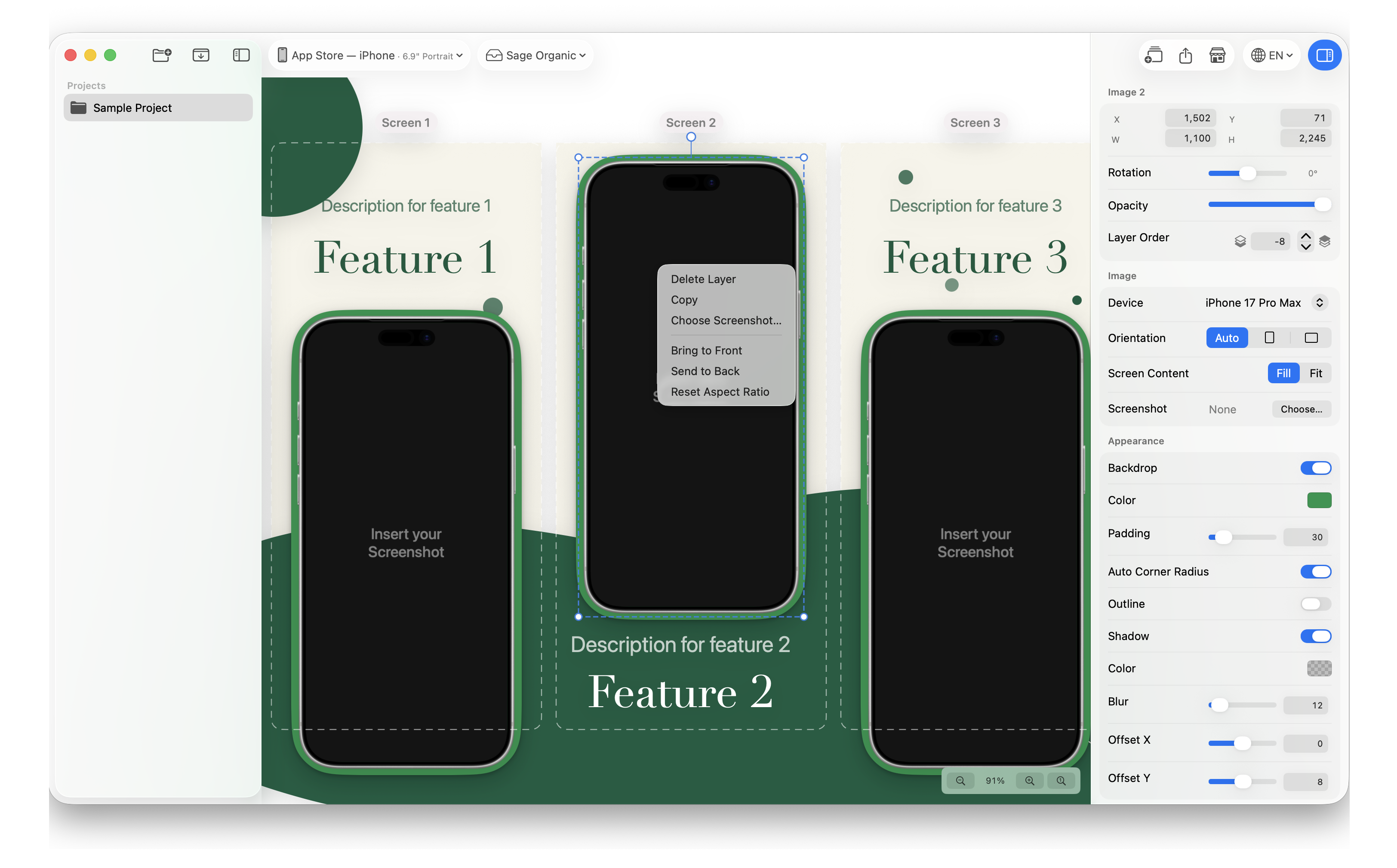
Screenshot Studio lets people edit screenshots in the browser and create related image formats such as code images, post images, and App Store screenshots. It also includes image tools for compressing, converting, resizing, cropping, rotating, and removing backgrounds.
The problem
It helps users turn plain screenshots and other images into shareable graphics without signup or watermarks.
How it works
Users drop in a screenshot or choose a starting tool, edit it in the browser with backgrounds, frames, overlays, effects, or text, then export the result as an image or video.
Key features
- Edit screenshots with backgrounds, browser or device frames, shadows, and 3D tilt
- Export PNG, JPEG, WebP, MP4, WebM, and GIF
- Create code images, post images, and App Store screenshots
- Use image tools to compress, convert, resize, crop, rotate, and remove backgrounds
What makes it different
The site says edits run in the browser, drafts are saved in browser storage, and images are not uploaded for editing.
Use cases
Creating polished screenshots for a landing page or README; making code snippets, tweet images, or App Store screenshots.

From the UsefulShelf journal
Screenshot Studio: Turn a Product Screen Into a Launch ImageEvery listing is reviewed before it goes live. How review works
Frequently asked questions
What is Screenshot Studio?
Screenshot Studio lets people edit screenshots in the browser and create related image formats such as code images, post images, and App Store screenshots. It also includes image tools for compressing, converting, resizing, cropping, rotating, and removing backgrounds.
Who is Screenshot Studio for?
People making landing page images, READMEs, slides, social posts, and App Store screenshots.
How does Screenshot Studio work?
Users drop in a screenshot or choose a starting tool, edit it in the browser with backgrounds, frames, overlays, effects, or text, then export the result as an image or video.
What makes Screenshot Studio different?
The site says edits run in the browser, drafts are saved in browser storage, and images are not uploaded for editing.
When would someone use Screenshot Studio?
Creating polished screenshots for a landing page or README; making code snippets, tweet images, or App Store screenshots.
What are the key features of Screenshot Studio?
Edit screenshots with backgrounds, browser or device frames, shadows, and 3D tilt. Export PNG, JPEG, WebP, MP4, WebM, and GIF. Create code images, post images, and App Store screenshots. Use image tools to compress, convert, resize, crop, rotate, and remove backgrounds.
How is Screenshot Studio priced?
Its listing shows a free pricing model. Check the official website for current plans and limits.
Where can I use Screenshot Studio?
Screenshot Studio is available on Web.
What technical traits does Screenshot Studio have?
Screenshot Studio is tagged as API and Open source.
Where is the official Screenshot Studio website?
Screenshot Studio is at screenshot-studio.com. UsefulShelf links to it directly from this page.
Ratings & reviews
Real experiences. A little perspective for your next pick.
Tried Screenshot Studio?
Your experience can help someone find their next useful app.
Sign in to review One account. One honest review.One review per account. Makers can’t rate their own apps. Ratings reflect community opinions.
The first word could be yours.
Tried Screenshot Studio? A few honest lines can make someone’s decision a little easier.
Share your experienceKeep exploring
More useful apps to discover.