
XShots
Design localized app-store screenshot sets on Mac
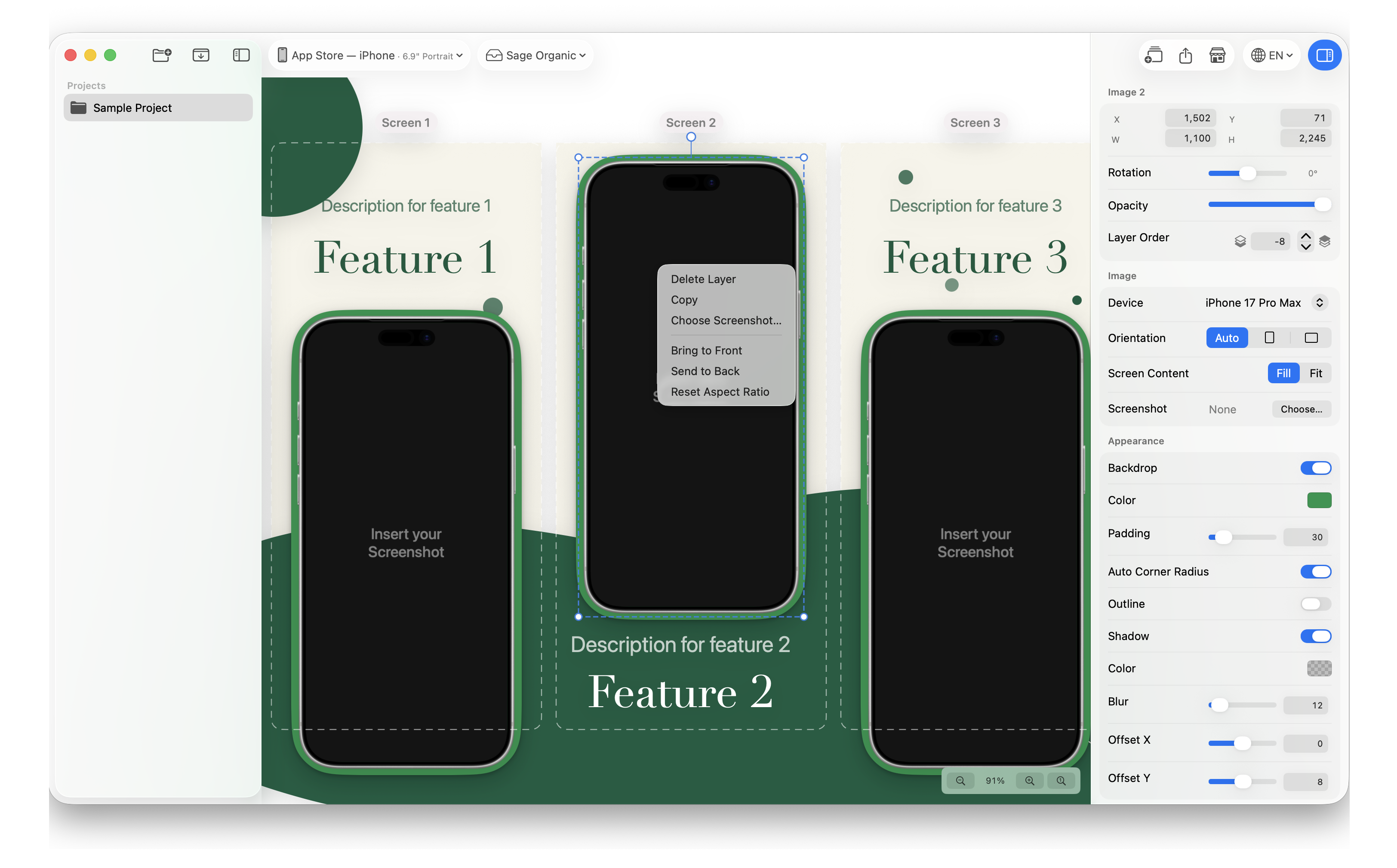
XShots is a native Mac app for developers, designers and localization professionals creating app-store screenshot sets. Arrange a complete sequence on one continuous canvas, reuse templates, edit localized copy with CSV import/export, preview store listings, and batch-export PNG or JPEG images across sizes and languages. Listed under Design on UsefulShelf. Pricing: Free trial and One-time purchase. Available on macOS.
https://usefulshelf.co/apps/xshots
Overview
XShots is a native Mac app for developers, designers and localization professionals creating app-store screenshot sets. Arrange a complete sequence on one continuous canvas, reuse templates, edit localized copy with CSV import/export, preview store listings, and batch-export PNG or JPEG images across sizes and languages.
Projects and source images stay on the Mac, and no XShots account is required. Optional local stdio MCP tooling connects compatible external clients; those clients handle content under their own settings and privacy policies. XShots does not provide hosted AI generation, cloud collaboration or direct store upload. It is a screenshot-set design app, not a system screen-capture utility.
Requires macOS 14.0 or later; automatic Apple translation requires macOS 15.0 or later. The official Mac App Store offers a one-time three-day full trial with no payment card required, then a US$0.99 non-renewing 7-Day Pass or US$19.99 Pro Lifetime at US store prices. Regional prices may differ. There is no permanently free editing/export plan; projects remain readable after access expires. Developed by SELFARK LTD.
Every listing is reviewed before it goes live. How review works
Frequently asked questions
What is XShots?
XShots is a native Mac app for developers, designers and localization professionals creating app-store screenshot sets. Arrange a complete sequence on one continuous canvas, reuse templates, edit localized copy with CSV import/export, preview store listings, and batch-export PNG or JPEG images across sizes and languages.
How is XShots priced?
Its listing shows a free trial and one-time purchase pricing model. Check the official website for current plans and limits.
Where can I use XShots?
XShots is available on macOS.
Where is the official XShots website?
XShots is at selfark.com/xshots. UsefulShelf links to it directly from this page.
Ratings & reviews
Real experiences. A little perspective for your next pick.
Tried XShots?
Your experience can help someone find their next useful app.
Sign in to review One account. One honest review.One review per account. Makers can’t rate their own apps. Ratings reflect community opinions.
The first word could be yours.
Tried XShots? A few honest lines can make someone’s decision a little easier.
Share your experienceKeep exploring
More useful apps to discover.

AI tools, batch editing, and image conversion in one place. No sign-up and works offline for most tools.

AI app icon generator for people making icons for iOS, Android, and the web.

Create and edit images with GPT Image 2.5 in the browser for people who use AI image generation.