Syncophant
Remote storage that feels local
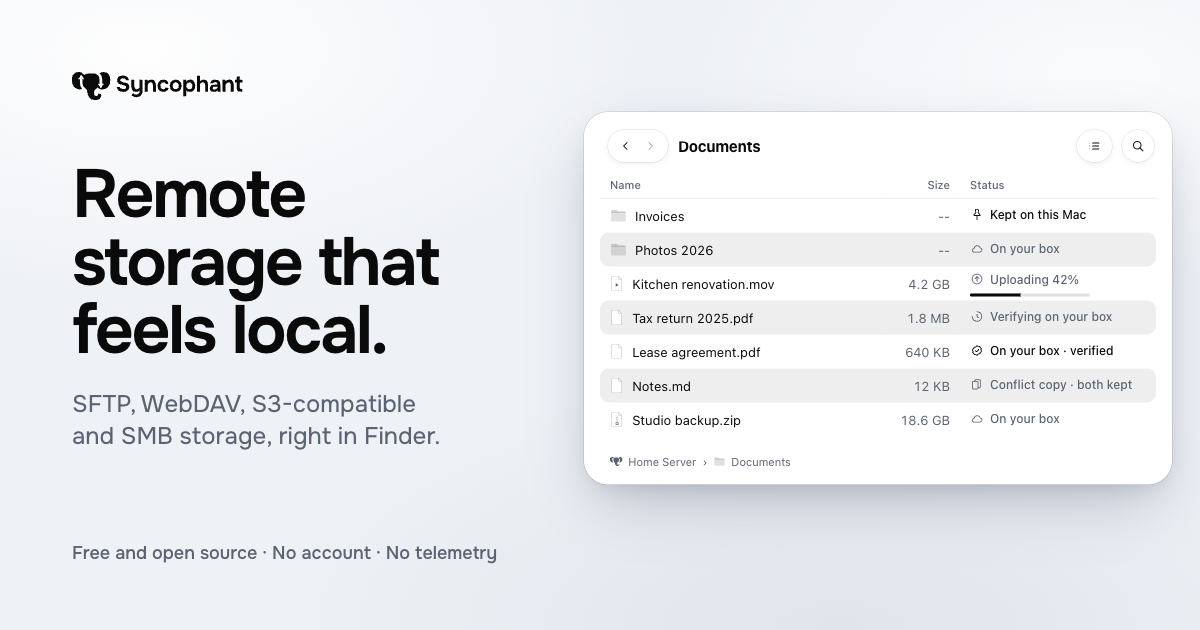
Syncophant adds remote storage to Finder as a location on your Mac. Files open and upload through Finder while the app verifies uploads and keeps passwords in Keychain. Listed under Productivity on UsefulShelf. Pricing: Free. Available on Web and macOS.
https://usefulshelf.co/apps/syncophant
Overview
Syncophant adds remote storage to Finder as a location on your Mac. Files open and upload through Finder while the app verifies uploads and keeps passwords in Keychain.
The problem
It helps when you want remote files to behave like local files in Finder without copying everything to your Mac.
How it works
Choose a storage type, sign in, verify the server or service connection, then open Finder and use the storage like a drive. Files download when opened, uploads can be verified, and offline copies can be kept on the Mac.
Key features
- Adds remote storage to Finder as a location
- Supports upload verification with checksums
- Keeps passwords and keys in Keychain
- Lets you keep folders on your Mac for offline use
What makes it different
It has no Syncophant server or account; it connects your Mac directly to your storage.
Use cases
Browsing and editing files stored on a server from Finder. Uploading, verifying, and keeping selected folders offline on a Mac.
Every listing is reviewed before it goes live. How review works
Frequently asked questions
What is Syncophant?
Syncophant adds remote storage to Finder as a location on your Mac. Files open and upload through Finder while the app verifies uploads and keeps passwords in Keychain.
Who is Syncophant for?
Mac users who work with remote storage such as SFTP servers, WebDAV, S3-compatible storage, SMB shares, Dropbox, OneDrive, Box, Google Drive, or Hetzner Storage Boxes.
How does Syncophant work?
Choose a storage type, sign in, verify the server or service connection, then open Finder and use the storage like a drive. Files download when opened, uploads can be verified, and offline copies can be kept on the Mac.
What makes Syncophant different?
It has no Syncophant server or account; it connects your Mac directly to your storage.
When would someone use Syncophant?
Browsing and editing files stored on a server from Finder. Uploading, verifying, and keeping selected folders offline on a Mac.
What are the key features of Syncophant?
Adds remote storage to Finder as a location. Supports upload verification with checksums. Keeps passwords and keys in Keychain. Lets you keep folders on your Mac for offline use.
How is Syncophant priced?
Its listing shows a free pricing model. Check the official website for current plans and limits.
Where can I use Syncophant?
Syncophant is available on Web and macOS.
What technical traits does Syncophant have?
Syncophant is tagged as Open source.
Where is the official Syncophant website?
Syncophant is at syncophant.app. UsefulShelf links to it directly from this page.
Ratings & reviews
Real experiences. A little perspective for your next pick.
Tried Syncophant?
Your experience can help someone find their next useful app.
Sign in to review One account. One honest review.One review per account. Makers can’t rate their own apps. Ratings reflect community opinions.
The first word could be yours.
Tried Syncophant? A few honest lines can make someone’s decision a little easier.
Share your experienceKeep exploring
More useful apps to discover.