T-Scriptor
Transcribe lectures and meetings on Mac and iPhone with AI summaries and citations
T-Scriptor transcribes lectures and meetings on Mac and iPhone. It provides transcripts, AI summaries and citations without sending audio to the cloud. Listed under Productivity on UsefulShelf. Pricing: Freemium and Subscription. Available on iOS and macOS.
https://usefulshelf.co/apps/t-scriptor
Overview
T-Scriptor transcribes lectures and meetings on Mac and iPhone. It provides transcripts, AI summaries and citations without sending audio to the cloud.
The problem
Students and professionals struggle to keep up with lectures and meetings, missing important details and deadlines.
How it works
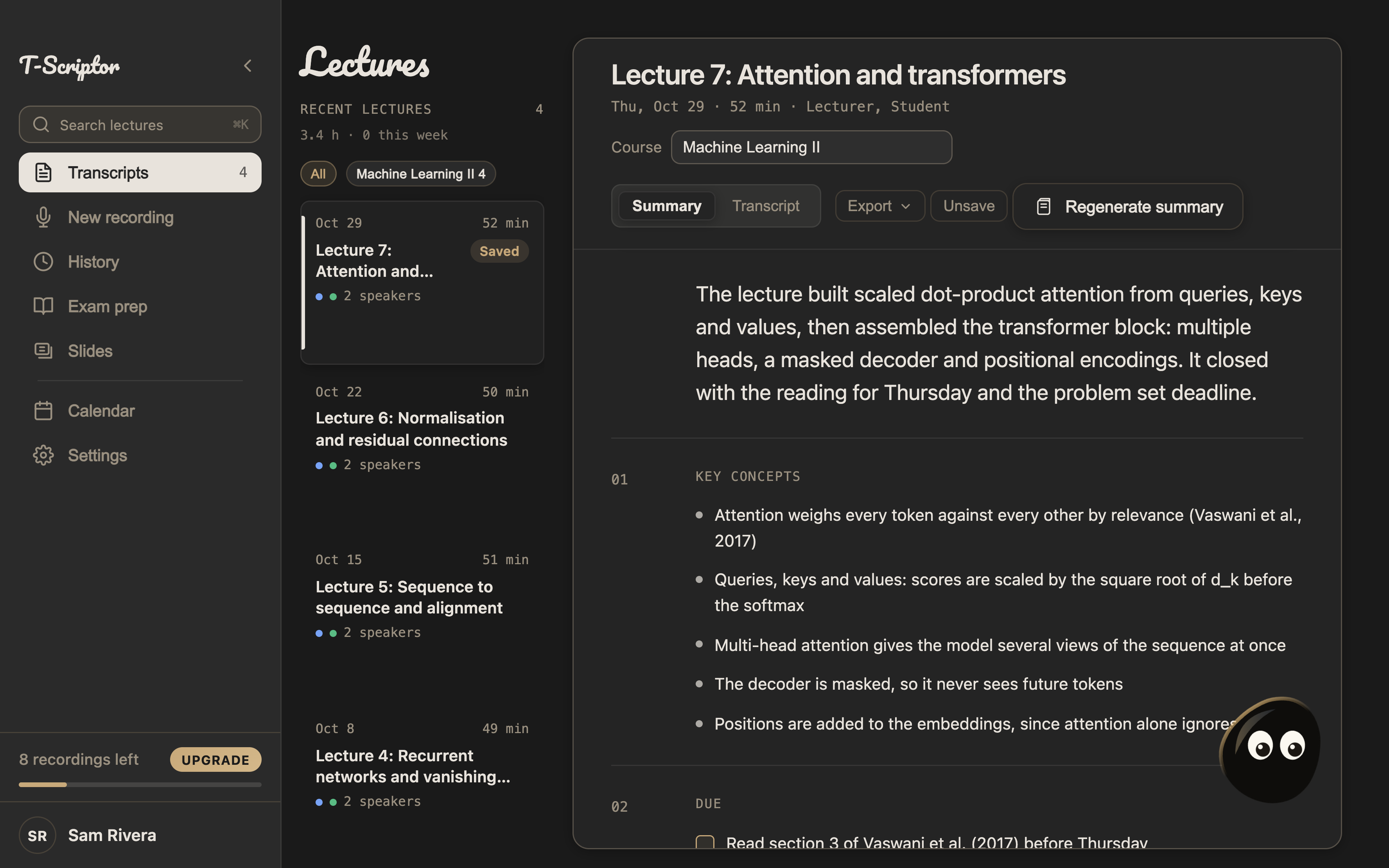
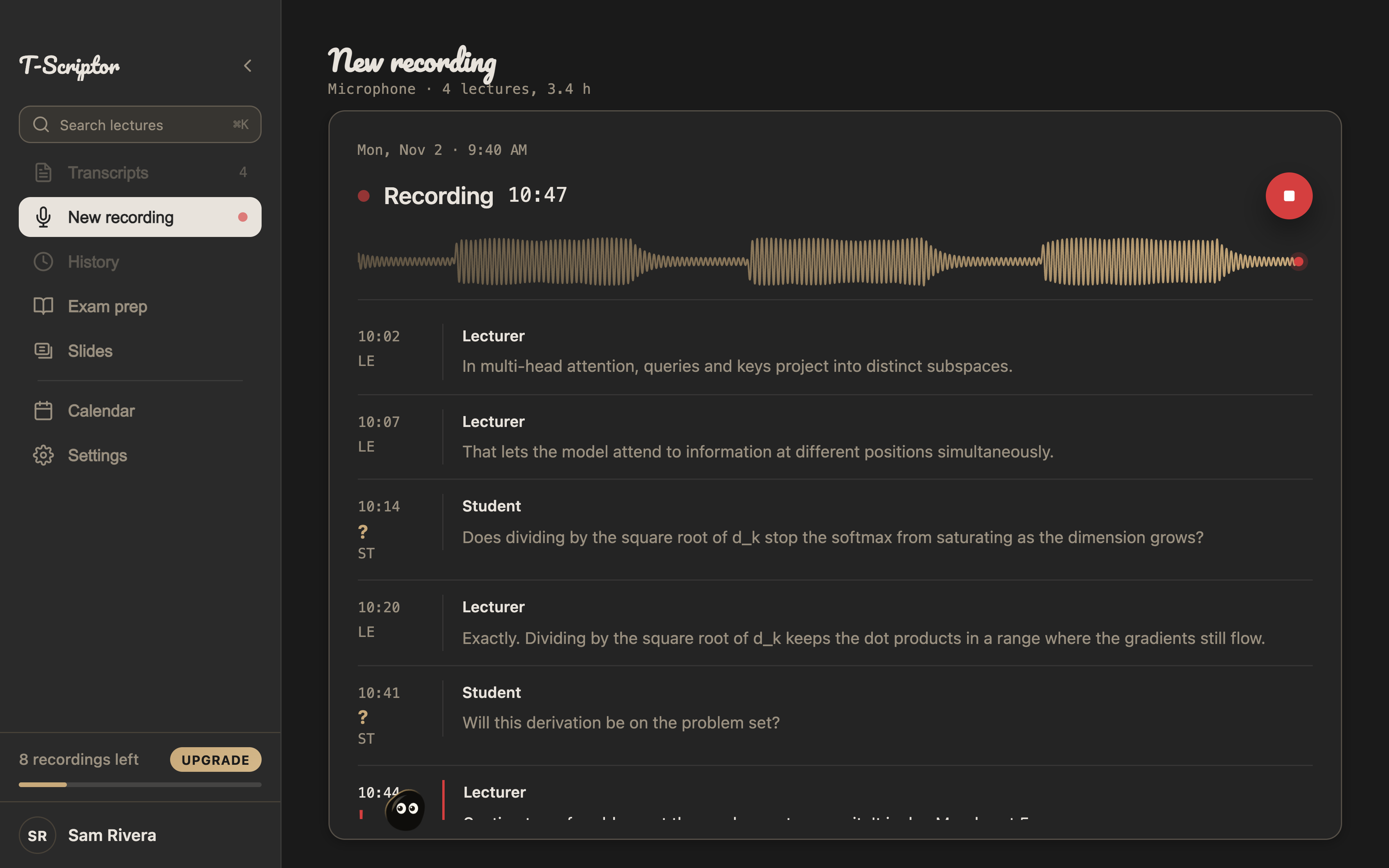
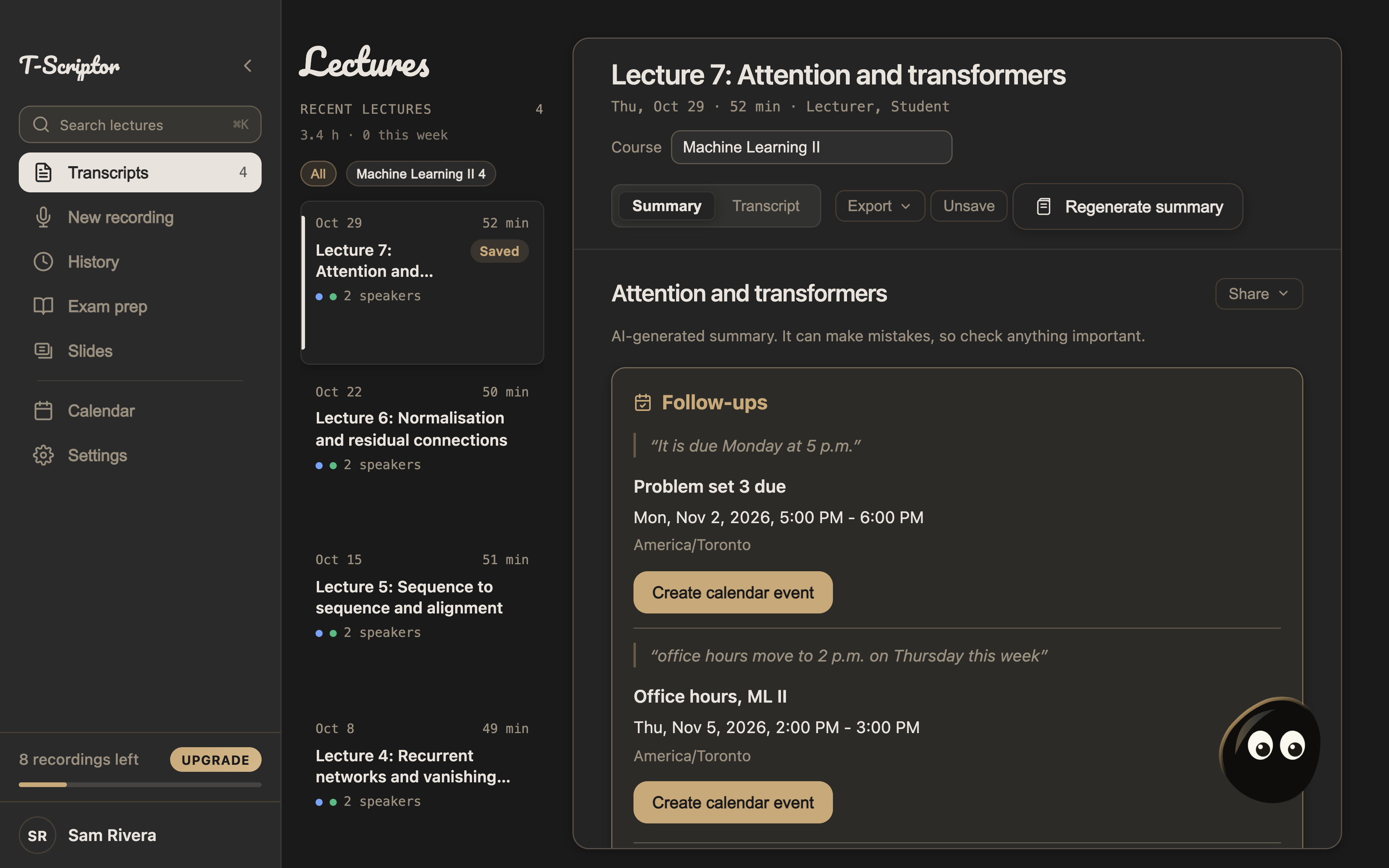
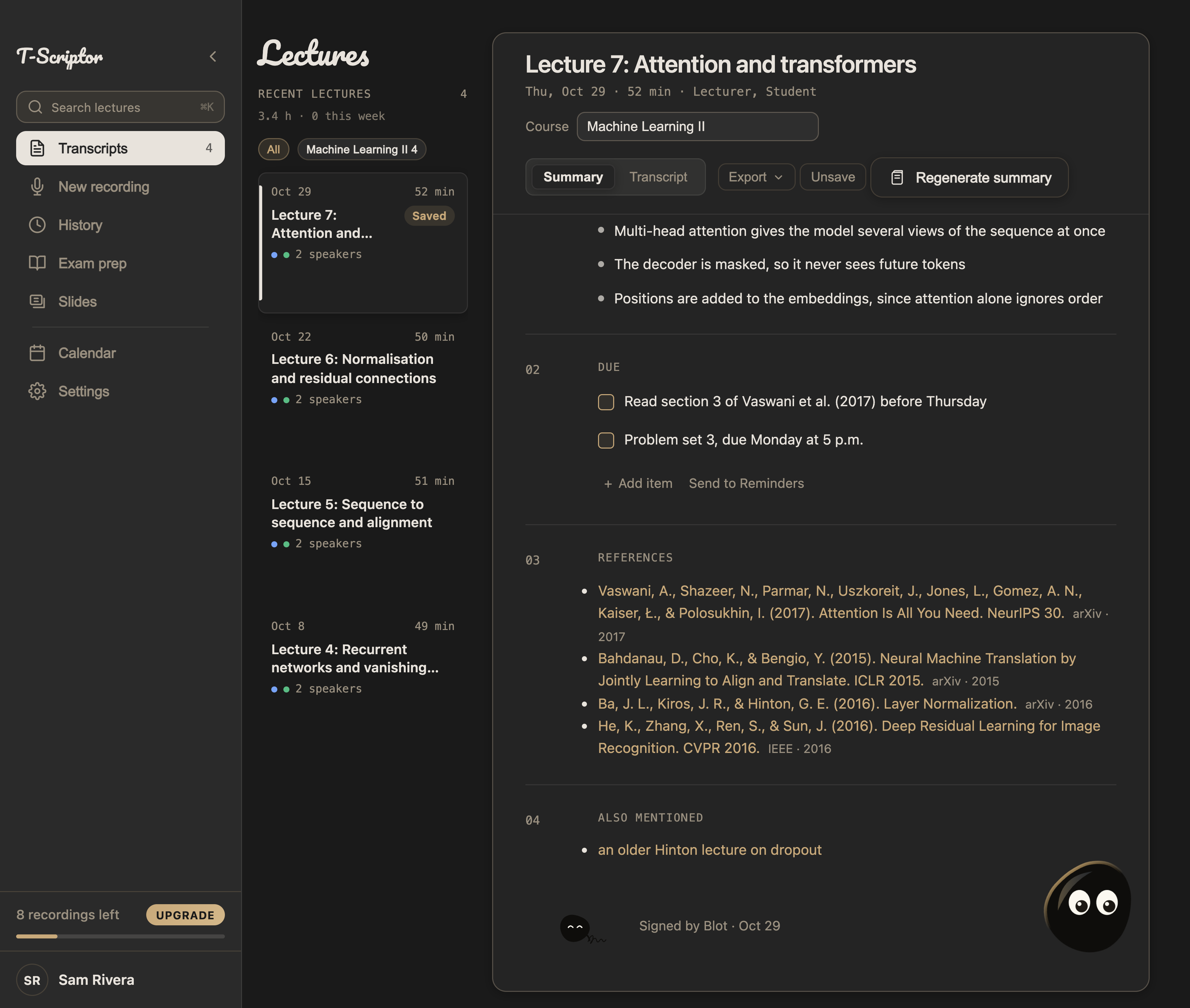
Users record lectures or meetings on their Mac or iPhone. The app transcribes the audio locally, providing a live transcript. After the session, users receive a structured summary with key concepts, deadlines, and cited papers. The app also syncs notes and calendar follow-ups between paired devices.
Key features
- Transcribe lectures and meetings locally on Mac and iPhone
- Get Summaries based on shared context for each individual subjects
- Prepare for your exams using the Exam Prep feature and quiz yourself before exams.
What makes it different
T-Scriptor transcribes audio locally on the device, ensuring that audio never leaves the user's device.
Use cases
- Students can record lectures and receive summaries with key concepts and deadlines
Every listing is reviewed before it goes live. How review works
Frequently asked questions
What is T-Scriptor?
T-Scriptor transcribes lectures and meetings on Mac and iPhone. It provides transcripts, AI summaries and citations without sending audio to the cloud.
Who is T-Scriptor for?
Students and professionals use it to record and transcribe lectures and meetings.
How does T-Scriptor work?
Users record lectures or meetings on their Mac or iPhone. The app transcribes the audio locally, providing a live transcript. After the session, users receive a structured summary with key concepts, deadlines, and cited papers. The app also syncs notes and calendar follow-ups between paired devices.
What makes T-Scriptor different?
T-Scriptor transcribes audio locally on the device, ensuring that audio never leaves the user's device.
When would someone use T-Scriptor?
- Students can record lectures and receive summaries with key concepts and deadlines.
What are the key features of T-Scriptor?
Transcribe lectures and meetings locally on Mac and iPhone. Get Summaries based on shared context for each individual subjects. Prepare for your exams using the Exam Prep feature and quiz yourself before exams.
How is T-Scriptor priced?
Its listing shows a freemium and subscription pricing model. Check the official website for current plans and limits.
Where can I use T-Scriptor?
T-Scriptor is available on iOS and macOS.
What technical traits does T-Scriptor have?
T-Scriptor is tagged as AI-powered.
Where is the official T-Scriptor website?
T-Scriptor is at t-scriptor.app. UsefulShelf links to it directly from this page.
Ratings & reviews
Real experiences. A little perspective for your next pick.
Tried T-Scriptor?
Your experience can help someone find their next useful app.
Sign in to review One account. One honest review.One review per account. Makers can’t rate their own apps. Ratings reflect community opinions.
The first word could be yours.
Tried T-Scriptor? A few honest lines can make someone’s decision a little easier.
Share your experienceKeep exploring
More useful apps to discover.