From the shelf
Brew: Plan a Welcome Email Around One Useful Action
Prepare an email brief, edit the generated design and check the mobile message before sending a welcome sequence with Brew.
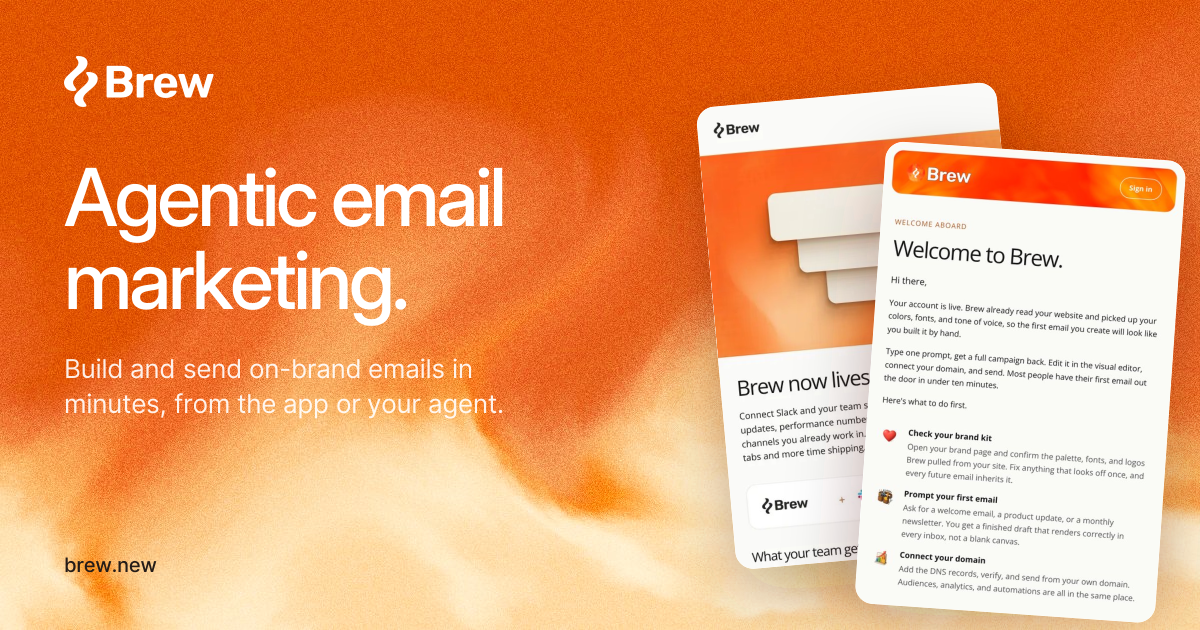
A welcome email should help a new user finish the task that made them sign up. Brew describes an email workspace that can learn from a brand URL, generate editable designs on a canvas and support sending and sequences. Give that workflow a concrete brief before choosing a visual direction.
Choose the first successful moment
For a bookmarking app, the first result might be saving one link and finding it again. For an invoicing app, it might be preparing a draft invoice. Name that result in the brief and choose one primary destination that helps the reader reach it.
A useful draft structure is: why this email arrived, the next action, what the action produces and where to get help. Leave the entire feature catalog for a later message.
- Provide the correct product URL and check the brand details Brew extracts.
- Write the audience, intended result and destination URL in the brief.
- Generate a draft, then replace generic promises with concrete instructions.
Edit for a small inbox
Read the subject and preview text together. They should add information rather than repeat the same phrase. In the body, put the useful action before a large decorative image so it is easy to find on a phone.
Check that a button says what happens next: “Create your first draft” is more informative than “Get started.” Do not make a visual button the only place where essential context appears; images may be unavailable in an email client.
Send yourself the actual message first
Use a test recipient and inspect the delivered email, not only the canvas preview. Open each link, confirm the destination respects the user’s sign-in state and check the layout at a narrow width.
For a sequence, write down when a person enters and leaves it. A user who already completed the first task should not keep receiving reminders to do it. Verify audience selection and unsubscribe behavior before sending to customers. Brew’s design capabilities do not replace that final audience check.
Sources and current product details
Check the maker’s current documentation for availability, limits and pricing.