UsefulShelf
Technical SEO
Robots.txt Examples: Disallow All, AI Crawlers and Noindex
Copy-ready robots.txt examples: allow all, block a folder, disallow all, wildcards, and AI search vs training crawlers. Plus when to use noindex instead.
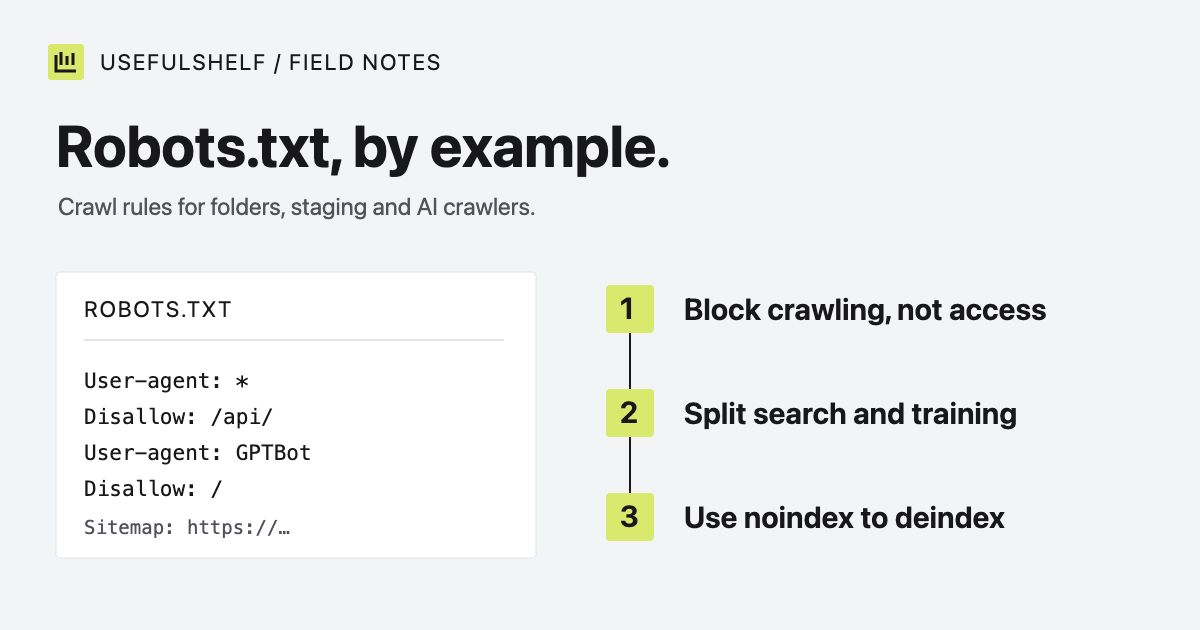
A robots.txt file is a plain text file at the root of your site that tells cooperative crawlers which URLs not to fetch. It is short, easy to get wrong, and frequently asked to do jobs it cannot do. Google says it plainly: robots.txt “is not a mechanism for keeping a web page out of Google.”
Below are copy-ready robots.txt examples for the common cases, including separating AI search crawlers from AI training crawlers, and a table for deciding when you need noindex or a login instead. Rules and crawler names were checked against Google, OpenAI, and Anthropic documentation on October 1, 2026.
How robots.txt works
- The file must be named
robots.txtand sit at the root of the host it applies to, such ashttps://example.com/robots.txt. Each subdomain needs its own. - Rules are grouped under a
User-agentline. A crawler follows only the most specific group that matches its name and ignores the rest. - Paths are case-sensitive and match by prefix.
/fishblocks/fish.htmland/fishheads, but not/Fish.asp. - When an
Allowand aDisallowrule both match, Google applies the more specific (longer) rule. On a tie, it uses the less restrictive one. - Google reads the first 500 KiB of the file and ignores anything after that.
The second point causes the most surprises. If you add a group for one crawler, that crawler stops reading your User-agent: * rules. Repeat any shared rules inside its group.
Example 1: allow all crawlers
If you have nothing to exclude, say so and point crawlers to your sitemap. The sitemap URL must be absolute.
User-agent: *
Allow: /

Sitemap: https://example.com/sitemap.xml
An empty Disallow: line means the same as Allow: /. Having no robots.txt at all also allows crawling: Google treats a 404 response as if no rules exist.
Example 2: block a folder
User-agent: *
Disallow: /api/
Disallow: /internal/

Sitemap: https://example.com/sitemap.xml
Mind the trailing slash. Disallow: /admin also blocks /admin-guide and /administrators, because matching is by prefix. Disallow: /admin/ blocks only URLs inside that folder.
Do not rely on this to hide anything. The file is public, so listing /secret-launch-page/ in it tells everyone where to look. Protect private pages with authentication.
Example 3: robots.txt disallow all
User-agent: *
Disallow: /
This asks every cooperative crawler to skip the whole site. It is common on staging servers and a common cause of a production site vanishing from search after a launch, when the staging file is copied across. Check your live robots.txt after every deploy that touches it.
It also does not remove pages that are already indexed. Google can still index a blocked URL that other sites link to, and show it without a description. For a staging site, password protection is the reliable option.
Example 4: wildcards for parameters and file types
Google supports two wildcards: * matches any sequence of characters, and $ marks the end of the URL.
User-agent: *
Disallow: /*?sessionid=
Disallow: /*.pdf$

Sitemap: https://example.com/sitemap.xml
The first rule skips URLs carrying a session parameter. The second skips URLs that end in .pdf, but not /guide.pdf?download=1, because that URL does not end in .pdf. Other crawlers may handle wildcards differently, so keep patterns simple.
Example 5: allow AI search, block AI training
Several AI companies run separate crawlers for different jobs. You can allow the ones that fetch pages for search answers while opting out of the ones that collect training data.
| Provider | Search and user requests | Model training |
|---|---|---|
| OpenAI | OAI-SearchBot surfaces sites in ChatGPT search. ChatGPT-User acts on user requests. | GPTBot |
| Anthropic | Claude-SearchBot for search quality. Claude-User fetches pages when people ask Claude. | ClaudeBot |
Googlebot crawls for Google Search, including its AI features. | Google-Extended controls use in Gemini training and grounding. |
User-agent: *
Allow: /

User-agent: GPTBot
Disallow: /

User-agent: ClaudeBot
Disallow: /

User-agent: Google-Extended
Disallow: /

Sitemap: https://example.com/sitemap.xml
Three details matter here:
- OpenAI states that sites which opt out of
OAI-SearchBotwill not appear in ChatGPT search answers. BlockingGPTBotis a separate, training-only choice. - Google says
Google-Extendeddoes not affect inclusion or ranking in Google Search. It does also cover grounding in Gemini apps, not only training. - OpenAI notes that robots.txt rules may not apply to
ChatGPT-User, because a person starts those requests.
Which policy is right depends on you. UsefulShelf allows all of these crawlers, and its own robots.txt uses comments to say so explicitly. Whatever you choose, make it a decision rather than an accident of copying someone else’s file.
Robots.txt vs noindex
| Goal | Use | Why |
|---|---|---|
| Keep a public page out of search results | noindex meta tag or X-Robots-Tag header | Google drops the page once it crawls and sees the rule. |
| Stop crawlers wasting time on endless URLs | robots.txt Disallow | Filters, sorts, and session parameters can multiply URLs. |
| Keep information private | Authentication | Crawl rules are requests. Some crawlers ignore them. |
Never combine the first two on the same URL. Google’s noindex documentation says the page “must not be blocked by a robots.txt file” for the rule to work. If robots.txt blocks the page, Google never fetches it, never sees noindex, and may keep the URL indexed from links alone.
Test after publishing
- Open
/robots.txtin a browser and confirm it loads as plain text with the rules you expect. - Watch for server errors. Google treats most 4xx responses as “no rules,” but a 5xx response makes it pause crawling the site for 12 hours and then fall back to a cached copy.
- Check the robots.txt report in Google Search Console, and inspect one important URL to confirm it is allowed.
- Run a page through the search and AI visibility checker to see which crawlers your rules allow.
Your robots.txt should point to a sitemap. If you do not have one yet, read how to create an XML sitemap.
Generate a robots.txt file
Add your sitemap URL and any paths to skip, then copy or download the file. Merge it with crawler-specific rules you already rely on.
Open the robots.txt generator →Have a public app? A reviewed UsefulShelf listing gives it a server-rendered page with structured data, a category, and a direct website link. See how listings support discovery and the listing plans.