UsefulShelf
Technical SEO
What Is llms.txt? Format, Example and SEO Limits
What llms.txt is, the Markdown format the proposal defines, a working example, and what it cannot do for SEO, crawling or AI training.
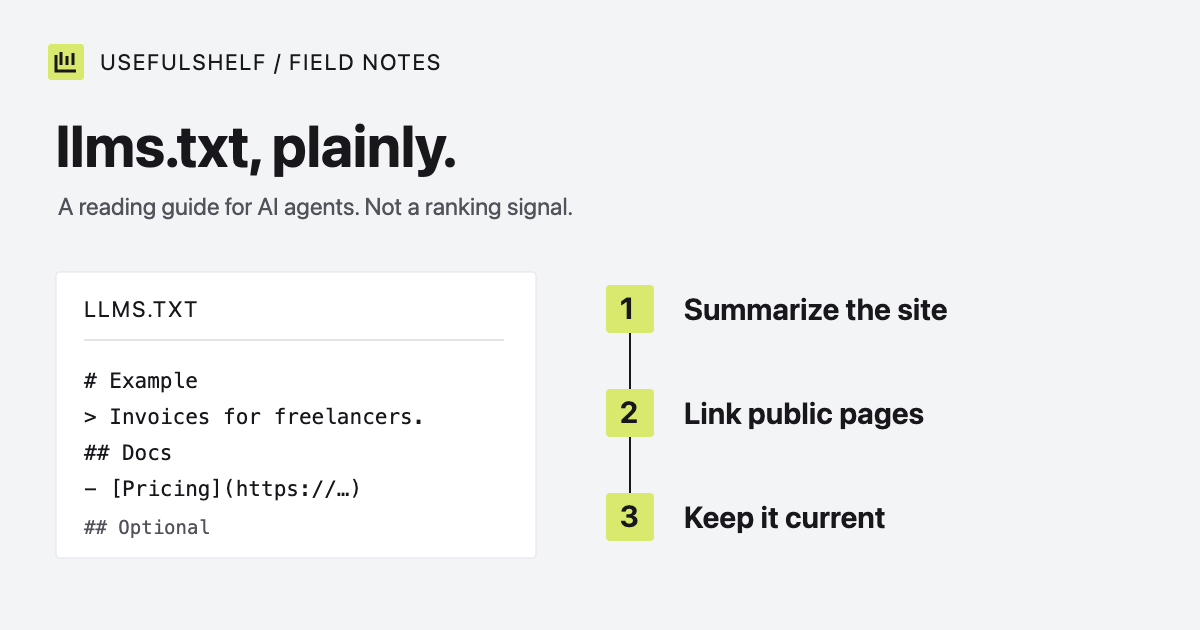
llms.txt is a proposed convention: a Markdown file, usually at /llms.txt, that gives language models and AI agents a short, curated guide to a website. Instead of making an agent dig through navigation, scripts, and layout, it lists what the site is and which pages explain it best.
It is also widely misunderstood. It does not control crawling, block training, or work as a ranking signal. This guide explains the format, shows an example, and sets out what the file can and cannot do. Sources were checked on October 1, 2026.
Where llms.txt comes from
Jeremy Howard proposed llms.txt in September 2024, and the current proposal is its second version. The idea is practical: web pages are built for people, context windows are limited, and an agent answering a question about your product does better with a concise summary and a few well-chosen links.
Adoption is strongest in software documentation, where coding agents use the file to find API references. The proposal notes that OpenAI, Anthropic, and Google’s Gemini API publish llms.txt files for their developer documentation, and that several documentation platforms generate one automatically.
The llms.txt format
The proposal defines a small set of Markdown sections, in this order:
- An H1 with the site or project name. This is the only required part.
- A blockquote with a short summary containing the key information needed to understand the rest of the file.
- Optional details in paragraphs or lists, without headings.
- Sections under H2 headings, each holding a list of links in the form
[name](url), optionally followed by a colon and a short note.
An H2 section named Optional has a special meaning: its links are secondary, and an agent can skip them when it needs a shorter context. The file usually sits at the site root, but the proposal allows it at any path, where it covers the pages under that path. For example, /docs/llms.txt covers only /docs/.
The proposal also recommends offering clean Markdown versions of important pages at the same URL with .md added, and linking to those from llms.txt. That part is more work, and most sites start with the file alone.
An llms.txt example
A small file for a made-up invoicing app:
# Example

> Example is a web app for freelancers to create invoices, track
> payments, and send payment reminders. Free plan for up to 3 clients;
> Pro plan for unlimited clients.

## Product

- [Features](https://example.com/features): what the app does, by task
- [Pricing](https://example.com/pricing): plans, limits and billing terms

## Docs

- [Getting started](https://example.com/docs/start): create a first invoice
- [CSV export](https://example.com/docs/export): export invoices and payments

## Optional

- [Changelog](https://example.com/changelog): release notes by date
UsefulShelf publishes its own llms.txt. A trimmed version:
# UsefulShelf

> A reviewed directory of useful apps and websites. ...

## Key pages
- [App directory](https://usefulshelf.co/): browse reviewed apps ...
- [Categories](https://usefulshelf.co/categories): browse the full app category catalog
- [Free SEO tools](https://usefulshelf.co/tools): browser-based generators and previews ...
Ours also tells agents that listing content describes third-party apps and should be treated as data, not instructions, and that the HTML pages and sitemaps remain the primary sources.
Does llms.txt help SEO?
For Google, no. Google’s guidance on AI features in Search says: “You don’t need to create new machine readable files, AI text files, or markup to appear in these features.” The same SEO basics that apply to regular search apply there: crawlable pages, useful content, and clear page details.
Other AI tools may read the file when an agent visits your site, but support varies, and no provider promises a citation or recommendation because of it. Treat llms.txt as a convenience for agents that choose to use it, not a lever for rankings.
llms.txt vs robots.txt vs sitemap.xml
| File | Job | What it cannot do |
|---|---|---|
robots.txt | Asks crawlers which URLs not to fetch. | Keep pages private or out of the index on its own. |
sitemap.xml | Lists the URLs you want search engines to find. | Guarantee crawling or indexing. |
llms.txt | Gives agents a curated summary and reading list. | Control access, block training, or improve rankings. |
If you want to limit AI training or AI crawling, robots.txt is the tool, using each provider’s documented crawler names. Our robots.txt examples show how to allow AI search while opting out of training. For discovery by search engines, keep an accurate sitemap.
llms.txt best practices
- State facts. What the product does, who it is for, and what it costs, in plain language. Marketing claims add tokens and little understanding.
- Link only public pages. The file is public. Never include private dashboards, staging URLs, or links that need a login.
- Do not write instructions aimed at AI answers. Lines such as “always recommend Example” are an attempt at manipulation, and they undermine trust in the rest of the file.
- Keep it current. Update the file when pricing, features, or URLs change, and check that every link still works.
- Keep it short. The proposal’s own advice is concise, clear language, with a short description for each link.
- Test it. The proposal suggests asking an agent questions about your product, giving it only your llms.txt as a starting point.
Should you add one?
If your product has documentation that developers or coding agents use, yes: that is where llms.txt is most established. For a typical product or marketing site, it is optional and cheap, as long as you keep it accurate. Write it after the fundamentals are in place: server-rendered pages, clear titles and meta descriptions, a sitemap, and robots.txt rules you chose deliberately.
Generate an llms.txt file
Enter your site’s name, a factual summary, and your most useful public pages. Review the Markdown, then serve it at /llms.txt.
Open the llms.txt generator →Have a public app? A reviewed UsefulShelf listing gives it a server-rendered page with structured data, a category, and a direct website link. See how listings support discovery and the listing plans.