UsefulShelf
Technical SEO
Title Tag and Meta Description Length: What Google Shows
Google sets no character limit for titles or meta descriptions. Learn how truncation works, why titles get rewritten, and how to lead with what matters.
Search for “title tag length” and you will find confident numbers: 60 characters for titles, 155 or 160 for meta descriptions. Those figures come from people measuring where results tended to cut off. Google itself sets no character limit for either.
Its documentation says title links are “truncated in Google Search results as needed, typically to fit the device width.” About descriptions, it says: “There’s no limit on how long a meta description can be.” This guide explains what that means in practice, why Google sometimes replaces your title entirely, and how to write copy that still works when it is cut. Sources were checked on October 1, 2026.
Is there a title tag length limit?
No. You can write a long title, and Google will cut the visible part to fit the screen. The cut depends on width, not on a character count. Letters have different widths, so these two titles have the same number of characters but take up different amounts of space:
Mill invoicing: fill, file, bill    (32 characters, narrow letters)
WMW Workflow Manager: MOM HQ WWW    (32 characters, wide letters)
A character counter is therefore a rough guide. Treat 50 to 60 characters as a sensible editing target, not a rule, and check the result at phone width, where space is tightest.
Meta description length
The same applies to descriptions. Google truncates the snippet to fit the device, and it may not use your description at all. According to its snippet documentation, Google primarily builds snippets from the page content and uses the meta description when it gives a more accurate summary.
So the question is less “how long?” and more “what comes first?” Put the fact that would make someone click in the first sentence. A second sentence can add detail for the cases where more text fits.
If you need a hard cap, set one with the max-snippet robots value, for example <meta name="robots" content="max-snippet:120">. Use nosnippet to block snippets entirely, or the data-nosnippet attribute to hide one section of a page. Most sites need none of these.
Why Google rewrites title tags
Google builds title links from several sources: the title element, the main heading, og:title, other prominent text, anchor text on the page and in links pointing to it, and WebSite structured data. Its title link documentation lists the most common reasons it does not use your title as written:
| Problem | Example | Fix |
|---|---|---|
| Half-empty title | | Example | Add the missing page name before the brand. |
| Obsolete title | “Pricing for 2024” on a page updated this year | Update dates when the content changes, or remove them. |
| Inaccurate title | “Free invoice app” on a paid-only plan page | Describe what the page actually contains. |
| Micro-boilerplate | Every help article titled “Support | Example” | Give each page its own subject. |
| No clear main title | Several headings styled the same size | Make one main heading visibly the largest. |
| Language mismatch | An English title on a Spanish page | Write the title in the page’s language and script. |
| Duplicated site name | Example | Pricing | Example | Include the site name once, at the start or the end. |
A rewrite is not a penalty. It is a signal that Google found your title less useful than something else on or about the page. Fixing the cause gives Google a better title to use, though it may still choose different text.
How to write a title tag that survives truncation
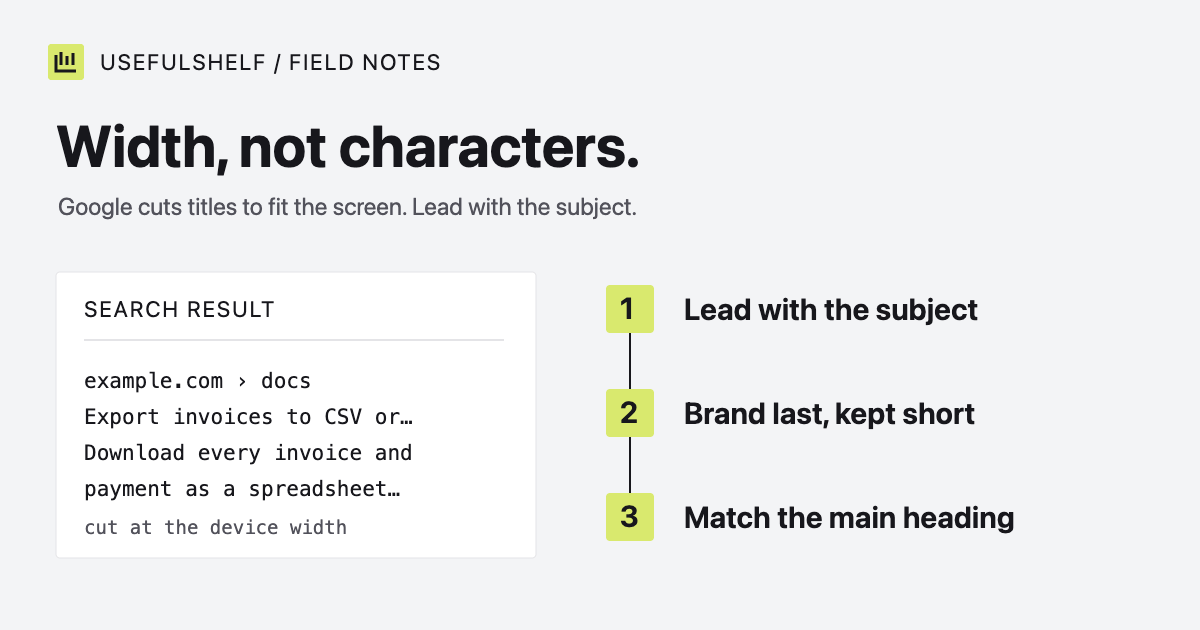
- Lead with the subject. If the end gets cut, the words that tell people what the page is about should already be visible.
- Put the brand last and keep it short. Google recommends including the brand concisely at the beginning or end. At the end, it is the part you can afford to lose.
- Match the visible heading. If the title and main heading describe different things, Google has to choose between them.
- Write it once, for people. Repeating a keyword in different forms makes the title longer and gives Google a reason to replace it.
For a help article about exporting invoices:
Before: Example Help Center | Invoices | Export | How To Export Invoices To CSV And PDF Files
After:  Export invoices to CSV or PDF | Example Help
The rewritten title loses nothing important if it is cut after “PDF.” The original could be truncated before reaching its subject. Pair it with a meta description that adds what the title cannot, such as which plans include exports. Our guide to meta tags for SEO covers writing descriptions in more depth.
Preview, publish, and compare
Draft the title and description in the SERP preview tool. Switch between mobile and desktop widths and look at what is still visible. The character counts help you compare drafts; they are not a score. The preview is illustrative, because Google can change either field.
After publishing, search for the page by name and compare what appears with what you wrote. If Google shows something different, check the table above for the likely cause before rewriting. Search Console’s Performance report shows which queries bring impressions, which tells you whether the words in your title match how people search.
Preview your search snippet
See how your title, URL, and description fit at mobile and desktop widths before you publish. Free, in your browser.
Open the SERP preview tool →Have a public app? A reviewed UsefulShelf listing gives it a server-rendered page with structured data, a category, and a direct website link. See how listings support discovery and the listing plans.