UsefulShelf
Technical SEO
SoftwareApplication Schema: JSON-LD Example for Apps
Copy a SoftwareApplication JSON-LD example, see what Google requires for software app rich results, and learn why fake ratings or prices backfire.
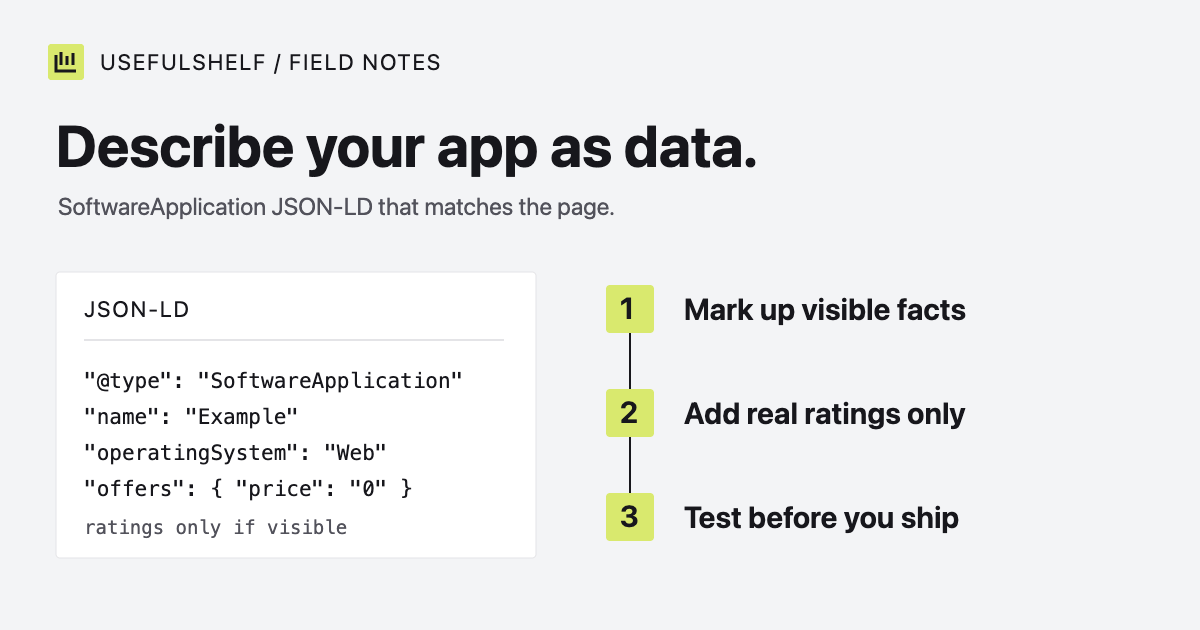
SoftwareApplication is the schema.org type for describing an app: its name, what it does, where it runs, and what it costs. You add it to a page as JSON-LD, a small block of structured data that search engines read alongside the visible content.
Most guides stop at a code sample. This one also covers the part that decides whether Google can show a software app rich result, and the rules that keep your markup honest. Requirements were checked against Google Search Central and schema.org on October 1, 2026.
A basic SoftwareApplication JSON-LD example
<script type="application/ld+json">
{
  "@context": "https://schema.org",
  "@type": "SoftwareApplication",
  "name": "Example",
  "url": "https://example.com/",
  "description": "Create invoices, track payments, and keep client billing organized in one place.",
  "operatingSystem": "Web"
}
</script>| Property | Value |
|---|---|
@context | Always https://schema.org. |
@type | The kind of thing described. Here, a software application. |
name | The product name exactly as the page shows it. |
url | The app’s canonical homepage, as an absolute URL. |
description | A plain summary that matches the visible copy. |
operatingSystem | Where it runs, such as Web, macOS, or Windows, macOS. |
This is valid schema.org markup and an accurate description. It is not enough for a Google rich result, which the next sections explain.
Choose the right type
Schema.org defines more specific subtypes of SoftwareApplication. WebApplication fits a product used in the browser, MobileApplication fits an iOS or Android app, and VideoGame fits a game. If a product spans several platforms, the general SoftwareApplication type is a safe choice. Other useful properties include softwareVersion, featureList, and screenshot.
What Google requires for software app rich results
Google can show extra details, such as a rating and price, for some app pages. Its software app documentation sets these requirements:
| Property | Status | Notes |
|---|---|---|
name | Required | The app’s name. |
offers.price | Required | Use 0 if the app is available without payment. Add priceCurrency when the price is above zero. |
aggregateRating or review | Required, one of the two | Ratings or a review of the app. |
applicationCategory | Recommended | One of Google’s supported app types, such as BusinessApplication or DeveloperApplication. |
operatingSystem | Recommended | The platforms the app needs. |
The rating requirement is the one that rules most pages out. Without real ratings or a review, a page can have perfect markup and still not qualify. Even when every requirement is met, Google does not guarantee that a rich result will appear.
Do not invent ratings or prices
The temptation is obvious: add a 4.9 rating and the page qualifies. Google’s structured data policies say “Don’t mark up content that is not visible to readers of the page,” and they prohibit fake or misleading reviews. A site that breaks these rules can receive a manual action and lose eligibility for rich results.
- Mark up a rating only if the page shows the same rating, from real users, and keep the numbers in sync.
- Use a price of
0only when the app can be used without paying. A 14-day trial of a paid plan is not a free app. - If prices vary by plan or region, mark up the price the page actually shows, and update the markup when pricing changes.
A fuller example for a SaaS app
Here is markup for a browser-based invoicing app with a free plan. Every value should match something a visitor can read on the page.
<script type="application/ld+json">
{
  "@context": "https://schema.org",
  "@type": "WebApplication",
  "name": "Example",
  "url": "https://example.com/",
  "description": "Create invoices, track payments, and keep client billing organized in one place.",
  "applicationCategory": "BusinessApplication",
  "operatingSystem": "Web",
  "offers": {
    "@type": "Offer",
    "price": "0",
    "priceCurrency": "USD"
  }
}
</script>
This markup is accurate, and still not eligible for the rich result, because it has no rating or review. If the page displays ratings collected from real users, add them as well:
"aggregateRating": {
  "@type": "AggregateRating",
  "ratingValue": "4.6",
  "ratingCount": "212"
}
Those numbers are placeholders. Use the figures shown on your page, or leave the property out.
How UsefulShelf marks up app pages
Each reviewed app page on UsefulShelf includes SoftwareApplication markup with the app’s name, website, description, category, platforms, image, and publication dates. It includes no rating and no price, because UsefulShelf does not collect reviews or verify what each app charges.
That means our app pages are not eligible for the software app rich result, and we do not pretend otherwise. The markup restates, in a machine-readable form, the same facts a visitor reads on the page.
Add it and test it
- Place the
scriptblock in the page’s HTML. The head is conventional, and Google also reads JSON-LD in the body. - Make sure your server returns it. View the page source, not the browser inspector, and confirm the block is there.
- Run the published URL through Google’s Rich Results Test to see whether the page is eligible and which properties are missing.
- Use the Schema Markup Validator to check general schema.org validity, including properties Google does not use.
Structured data works alongside the basics. Make sure the same page has a clear title and description; our guide to meta tags for SEO covers those.
Generate SoftwareApplication JSON-LD
Enter your app’s name, URL, description, and platform. The generator leaves out ratings and prices so you can add only the ones your page shows.
Open the schema generator →Have a public app? A reviewed UsefulShelf listing gives it a server-rendered page with structured data, a category, and a direct website link. See how listings support discovery and the listing plans.