Startup marketing
UTM Parameters: How to Build Tracked Campaign Links
What utm_source, utm_medium and utm_campaign mean, a copy-ready naming convention, common mistakes, and where to find UTM data in Google Analytics 4.
You share the same pricing link in a newsletter, on LinkedIn, and in a partner’s blog post. A week later, your analytics shows a spike in visits, but not which post caused it. UTM parameters fix that. They are five short labels added to the end of a link, and analytics tools read them to report where each visit came from.
This guide explains each parameter, gives a naming convention you can copy, and shows the mistakes that split one campaign into several rows in your reports. To skip ahead, open the free UTM builder and paste your link.
What are UTM parameters?
A UTM parameter is a query string value whose name starts with utm_. Here is a normal link and the same link with UTM parameters:
https://example.com/pricing
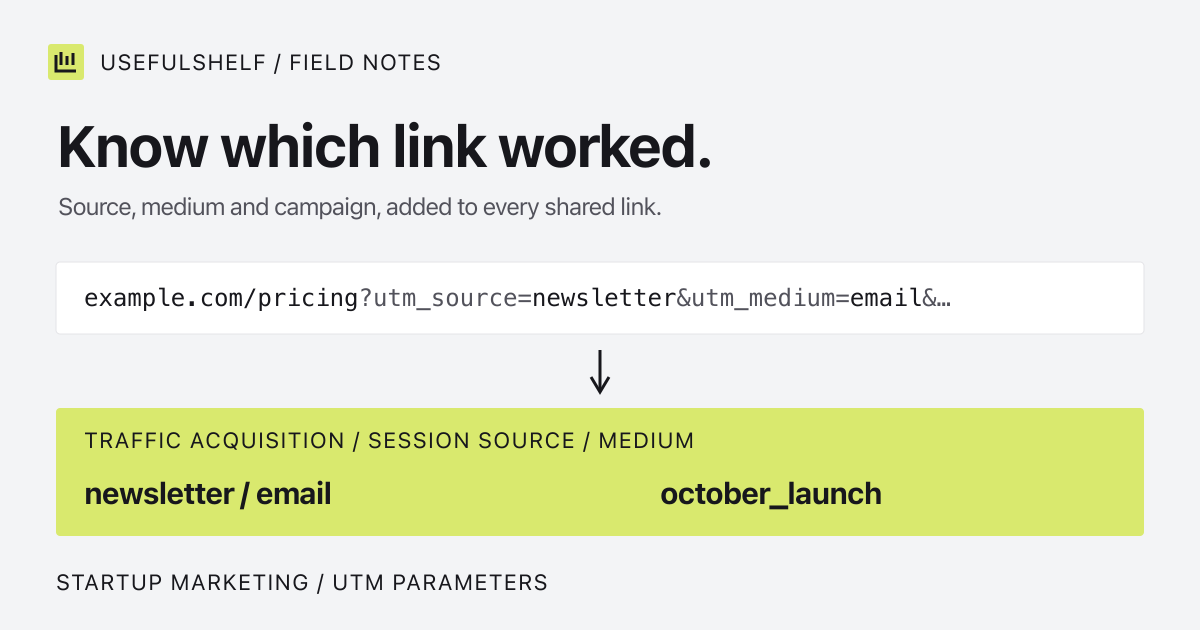
https://example.com/pricing?utm_source=newsletter&utm_medium=email&utm_campaign=october_launch
Both links open the same page. The second one also tells your analytics tool that the visit came from the newsletter, by email, as part of the October launch. Visitors see no difference, and the parameters do not change how search engines treat the page.
The five UTM parameters
Google’s Analytics documentation says you should always use utm_source, utm_medium, and utm_campaign. The other two are optional. Missing values show up as “(not set)” in reports.
| Parameter | Question it answers | Example |
|---|---|---|
utm_source | Which site or sender sent the visit? | newsletter, linkedin, google |
utm_medium | What type of channel was it? | email, social, cpc |
utm_campaign | Which campaign or promotion? | october_launch |
utm_term | Which paid keyword? (optional) | invoice_app |
utm_content | Which link or creative? (optional) | header_button, footer_link |
Use utm_content when one message has more than one link to the same page. For example, an email with a button at the top and a text link at the bottom can tell you which one people clicked.
How to build a UTM link in three steps
- Start with the final page URL. Use the page people should land on, not your homepage, and check that it opens without a redirect.
- Fill in source, medium, and campaign. Add term and content only when you need them.
- Copy the result and test it. Open the link once, then check your analytics real-time report to see the visit arrive with the right labels.
The UTM builder does steps one and two for you. It keeps any query parameters your link already has, replaces old UTM values instead of duplicating them, and encodes spaces and symbols safely. With the values from the example above plus utm_content=header_button, it returns:
https://example.com/pricing?utm_source=newsletter&utm_medium=email&utm_campaign=october_launch&utm_content=header_buttonA naming convention you can copy
UTM values are case sensitive. Google’s example is that utm_source=google and utm_source=Google are different values, so a single typo creates a second row in your reports. Agree on a few rules before anyone shares a link:
- Use lowercase for every value.
- Use underscores instead of spaces:
october_launch, notOctober Launch. - Use one source name per platform and one medium per channel.
- Match the campaign value to the name your team already uses for the campaign.
- Write the values down in a shared sheet and reuse them.
| Channel | utm_source | utm_medium |
|---|---|---|
| Email newsletter | newsletter | email |
| LinkedIn post | linkedin | social |
| X post | x | social |
| Google Ads (manual tagging) | google | cpc |
| Partner blog post | partner_name | referral |
| QR code on a flyer | flyer | print |
Google Analytics uses source and medium to group visits into default channels such as Email or Organic Social. Consistent, conventional medium values like email and cpc help that grouping work as expected.
Common UTM mistakes
- Tagging internal links. Keep UTM parameters for links that point to your site from somewhere else. A tagged link on your own navigation relabels a visit that already has a source.
- Mixing capitalization.
Email,emailandE-mailbecome three mediums. - Adding a second question mark. A link that already has
?plan=proneeds&utm_source=…, not another?. The builder handles this for you. - Putting private data in values. Never add email addresses, names or other personal details. UTM values are visible in the address bar and can be stored by any tool that sees the URL.
- Skipping the test click. A broken redirect can strip the parameters. Check one visit before sending to your whole list.
Where to find UTM data in Google Analytics
In Google Analytics 4, open Reports, then Acquisition, then Traffic acquisition. Change the table’s primary dimension to Session source / medium or Session campaign to see your UTM values. The full tagged URL appears in the Page location dimension.
Most other analytics tools, such as Plausible, Fathom and PostHog, also read standard UTM parameters, so the same links work if you switch tools later. UTM tags measure where visits come from; they do not bring more visitors by themselves.
Related free tools for campaign links
- WhatsApp link generator for a click-to-chat link with a prefilled message.
- Mailto link generator for an email link with a subject and body.
- URL slug generator for clean page addresses before you tag them.
Build your tracked link
Paste a URL, add source, medium and campaign, and copy a link that is ready to share. Free, in your browser, no sign-in.
Open the UTM builder →